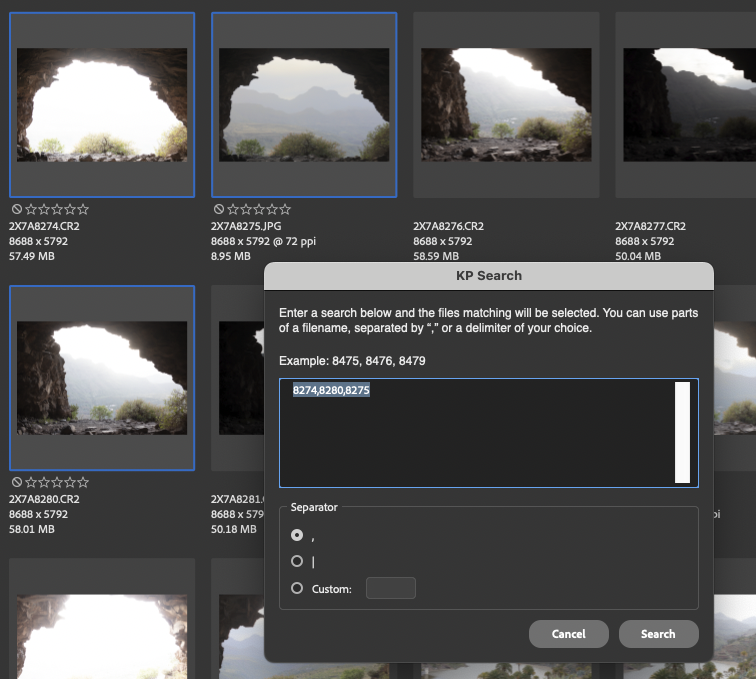
KP Search
KP Search is a plugin for Adobe Bridge to search and select multipe files. It adds a menu item "KP Search" in the Tools menu. When chosen, you're asked to provide a search term which can be, e.g.,
- 2908 which would match any file with 2908 in it.
- 2908,2917,2931 which would match any file containing 2908, or 2917, or 2931
- Right-click on any file and choose Label followed by a colour.
- Open in Camera Raw
Download and installing
To download KP Search, simply click on the download button. This will download a file kpsearch.jsx.

To install KP Search, open Bridge and press cmd-K to open Preferences. Choose "Startup Scripts" in the left pane, and then click on the button "Reveal Scripts in Finder". Then drag the file kpsearch.jsx there. Now restart Bridge and you should have "KP Search" in the Tools menu.
About
KP Search is ©Kjell Post. Feel free to contact me if you are in need of Photoshop scripting.